Showing posts with label facebook. Show all posts

Saturday

WHY TO USE OLD FACEBOOK PROFILE ENABLE TIMELINE

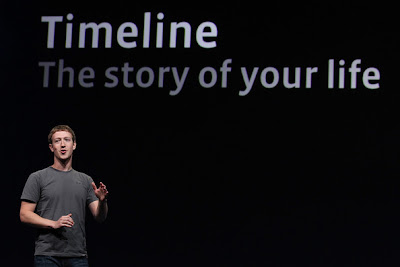
As we all know Facebook, and its rapid growth in our environment as it had become very much popular at this time and you all must be having account on Facebook. WHY TO USE OLD FACEBOOK - Facebook new and awesome profile layout had just arrived and is called 'TIMELINE'. This new feature shows a hierarchy of all your past experiences in a proper or data-wise manner like post updates, photo's, video's and comments. As it gives you a option to see what you did in last year or month or week. All the status upload you did can be easily viewed by rolling back to the older days. Till now Facebook is not providing this feature for its user's as it is under testing procedure and for limited user's but we will tell you the steps TO HAVE TIMELINE on your Facebook profile.

HOW TO ENABLE NEW FACEBOOK TIMELINE FEATURE

Wednesday

ADD NEW FACEBOOK LIKE AND SEND COMBO BUTTON TO YOUR BLOG

This will be the post you all must be finding, as in this post i m telling you how to add Facebook brand new shinny Like and Send combo button to all your post. Adding the Facebook like and send button you are making it easy for your users to share it on Facebook with a single click button and also the readers don't need to leave the blog. By adding send button you are helping your users to send the post to someone in a very simple way, You can also send it to your friends or someone who is not in your friend list by adding the email address. As it makes your post popular among your friends and helps in increasing traffic to your site or blog. 
ADD SHINNY FACEBOOK LIKE AND SEND COMBO BUTTON


Friday

ADD NEW SHINNY FACEBOOK SEND BUTTON TO YOUR BLOG

This will be the post you all must be finding, as in this post i m telling you how to add Facebook brand new shinny Send button to all your post. Adding the Facebook send button you are making it easy for your users to share it with their friends on their email and also the readers don't need to leave the blog. By adding send button you are helping your users to send the post to someone in a very simple way, you can also send it to your friends or someone who is not in your friend list by simply adding the email address. As it makes your post popular among your friends and helps in increasing traffic to your site or blog. 


It is a regular 'Email this' button with integrated Facebook Email. TRY FACEBOOK LIKE AND SEND COMBO BUTTON


ADD SHINNY FACEBOOK SEND BUTTON 


ADD NEW FACEBOOK LIKE BUTTON FOR BLOGGER

This will be the post you all must be finding, as in this post i m telling you how to add Facebook brand new shinny Like button to all your post. Adding the Facebook like button you are making it familiar for your users to share it on Facebook with a single click button and also the readers don't need to leave the blog, As it makes your post popular among your friends and helps in increasing traffic to your site or blog.


ADD NEW FACEBOOK LIKE BUTTON


FACEBOOK MESSENGER FOR IOS AND ANDROID

In today's world most of the people uses social networks such as Facebook which is one of the biggest network in the world, there is a risk of the way of Myspace thereafter the emerging of GOOGLE+. As lot of them would stick to Facebook only and it would be good for them to know that Facebook has reported its official messenger for Android and IOS. Facebook official messenger is out and can be freely downloaded from the android market.


Thursday

PREVENT YOUR FACEBOOK PROFILE TO APPEAR ON GOOGLE SEARCH

Almost everyone of you needs some privacy on your online profiles. We have to agree that in today's environment everyone uses social network sites to connect with friends such as facebook, twitter and all of them seeking of privacy. users wants to share their personal information such as photos, videos only with the known persons and dont like if the personal information is displayed on search engine.

So our team has inspected this problem, and quick fixed this problem they need to change their privacy option. It can be done by following some steps :-